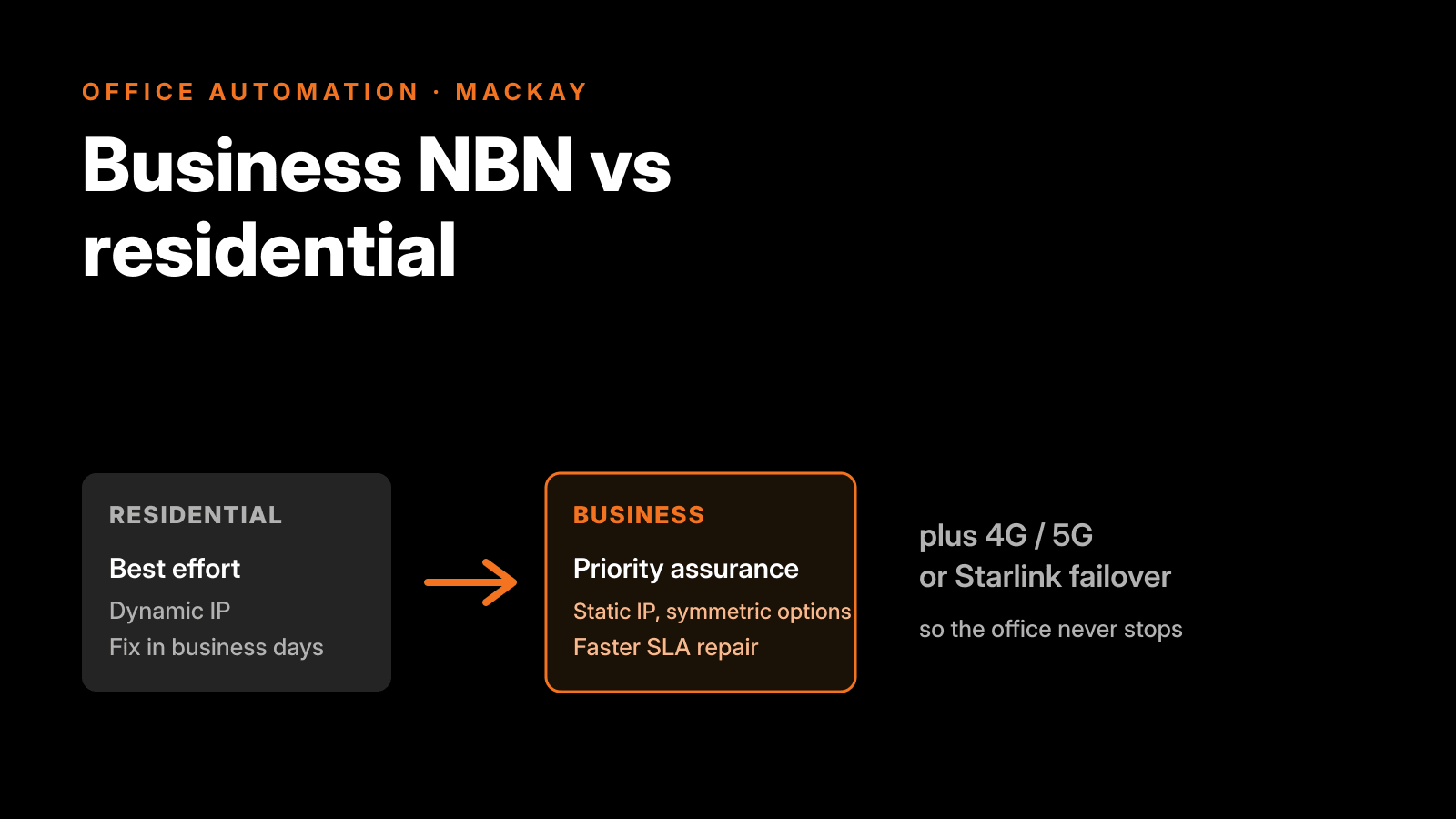
Business NBN and residential NBN can run over the same physical line into your office, but they are not the same product. A business NBN plan buys you priority support with a real service level agreement, a static IP address, faster fault rectification, and the option of symmetric speed through nbn Enterprise Ethernet. A residential plan buys you none of that and costs less. For plenty of small businesses in Mackay, a good consumer-grade plan with a 4G or 5G failover link is genuinely enough. For others, the first outage that costs more than a year of the price difference pays for the upgrade on its own. Here is how to work out which one you are.
The short version
- Residential nbn is best-effort. No uptime guarantee, a dynamic IP that can change, and support hours that stop at night.
- Business nbn plans add a static IP, priority support up to 24/7, and enhanced Service Level Agreements (eSLAs) that reach 99.95 per cent uptime on the top tier.
- Symmetric speed, where upload matches download, comes with nbn Enterprise Ethernet, not a standard plan.
- A 4G or 5G failover link keeps you online when the fixed line drops. For many small offices this matters more than the plan tier.
- In regional pockets with no decent fixed line, a satellite service such as Starlink Business is a market option worth knowing about, though it is not something we provide.
- Office Automation delivers business internet with 4G or 5G failover on the Aussie Broadband network, ordered and supported from our Mackay office.
What actually changes when you go business
Four things separate a business plan from the home plan next to it on the price list, and none of them are marketing fluff.
A service level agreement. Residential internet is delivered best-effort. If it goes down at 9am on a Monday, you join the same queue as every household on the street. Business plans can carry an eSLA, which is a written commitment on how fast a fault gets fixed. Aussie Broadband, the network Office Automation resells on, offers tiered business support where the top tier guarantees 99.95 per cent uptime, the middle tier 99 per cent, and the entry tier is best-effort. That number is the difference between a fault being someone’s priority and being a ticket in a pile.
Priority support. A residential connection is supported roughly 8am to midnight. A business account gets priority ticket handling and, on higher tiers, 24/7 enterprise support. When your point-of-sale or your phones are down, the hold time is the cost.
A static IP address. Home plans hand out a dynamic IP that can change without warning. Aussie Broadband includes a static IP free on every business plan. You need one the moment you host anything: a server staff reach from home, a VPN, remote desktop, a security camera feed you view off-site, or a mail or web server on your own network. Without a static IP those become fragile or impossible.
Symmetric speed, if you need it. A standard nbn plan is asymmetric. Download is fast, upload is a fraction of it. On most residential tiers download reaches up to around nbn 1000 Mbps while upload is capped near 50 Mbps, and even the very top residential tier (Home Hyperfast) tops out at 200 Mbps upload, never more. That is fine for browsing and streaming and poor for uploading large files, running cloud backups, or carrying good quality video calls both ways. Symmetric speed, where upload matches download, is a business and enterprise feature: it comes through nbn Enterprise Ethernet, which runs in tiers from 100/100 Mbps up to 1000/1000 Mbps on common plans, with nbn offering wholesale tiers up to nearly 10 Gbps. Enterprise Ethernet also carries a 99.95 per cent network availability target and data that is given priority across the nbn network over best-effort residential and business traffic.
Here is the same picture side by side.
| Feature | Residential NBN | Business NBN plan |
|---|---|---|
| Service level | Best-effort, no uptime guarantee | eSLA options up to 99.95% uptime |
| Fault handling | Standard queue | Priority fault rectification |
| Support hours | Roughly 8am to midnight | Up to 24/7 with priority ticket handling |
| IP address | Dynamic, static costs extra | Static IP included |
| Upload | Asymmetric, download up to ~1000 Mbps but upload capped near 50 Mbps, 200 Mbps at the very top residential tier | Asymmetric plans, or fully symmetric (upload equals download) via Enterprise Ethernet |
| Symmetric option | No | Yes, Enterprise Ethernet 100/100 up to near 10 Gbps wholesale |
| Relative price | Lowest | Higher, scales with the SLA tier |
| Best suited to | Light offices where a few hours down is tolerable | Downtime-sensitive, hosting, remote access, multi-site |
When the upgrade is worth paying for
The honest test is not “are we a business”, it is “what does an hour offline actually cost us”. Work that out first, then decide.
Pay for a business plan when any of these are true:
- Downtime costs you real money per hour, through lost sales, idle staff, or stalled dispatch.
- You host something others connect to: a server, a VPN, remote access, or off-site camera viewing.
- You upload heavily, so asymmetric upload is a daily handbrake.
- You run more than one site and they need to talk to each other securely.
- Your phones run over the internet, which for most offices they now do.
A good residential-grade plan plus a failover link is genuinely enough when:
- You are a small team on email, web and cloud apps, and a few hours offline is annoying rather than costly.
- You do not host anything inbound and do not need a fixed address on the internet.
- Your work is mostly download, not upload.
There is no prize for overbuying. We have talked plenty of Mackay offices out of an Enterprise Ethernet quote they did not need, and into a solid plan with proper failover instead.
Failover is the upgrade most offices actually need
Here is the part the plan tiers hide. The single most common cause of a business going dark is not a slow plan, it is a dead line. A backhoe through a pit, a mains fault, a cyclone season outage on a coastal run. When that happens, the fastest plan in the catalogue is worth nothing, because there is nothing coming down it.
Failover fixes that. You add a second path, usually a 4G or 5G mobile link, and configure SD-WAN failover so the connection rolls over to the backup automatically the moment the fixed line drops. The phones keep ringing, the eftpos keeps working, the booking system stays up. For a lot of small businesses in Mackay this delivers more real-world uptime than jumping two plan tiers, and it costs less. It is why we build failover into internet quotes as standard for any site where an outage hurts.
| Your situation | What usually fits |
|---|---|
| 1 to 5 people, email and cloud apps, downtime tolerable | Good residential-grade plan plus 4G/5G failover |
| You host a server, VPN in, or need remote access | Business plan with a static IP |
| Payments or bookings that cannot drop out | Business plan plus SD-WAN failover |
| Multiple sites that must connect to each other | Business plan, multi-site link management |
| Downtime costs more per hour than the yearly price gap | Enterprise Ethernet with an eSLA |
| No decent fixed line at the address | Satellite such as Starlink Business (a market option, not one we provide), or nbn fixed wireless with 4G/5G failover |
Where satellite fits for regional sites
Not every regional address has a good fixed line. A shed on a rural block, a remote mine services office, a site the nbn fixed-line network never reached properly. For those, satellite has moved on, and a business-grade service such as Starlink Business, sold as Starlink Priority, is now a serious market option rather than a last resort. We do not sell or provision it, but it is worth understanding when you are weighing up a site that is hard to reach.
The point of the business tier is Priority Data. During congestion the satellites allocate signal to Priority users first, so where residential and roaming users slow down, a Priority connection should hold its speed. That is the feature that matters in a spot with no fibre.
Two honest caveats. Priority plans carry a monthly data allowance, and once you use it up the speed drops right back until the next cycle, so the plan has to be sized to real usage. And it is still satellite, so latency is higher than a good fixed line even if it is far better than the old satellite service. For a remote site with no alternative it can earn its place. For a Mackay CBD office with fibre at the door, it does not.
Where we can help directly is failover. If a site has a workable fixed line but needs to stay online through outages, we build a 4G or 5G failover path on top of your Aussie Broadband internet service, so a single line fault does not take the office down. That is the resilience piece we provide, and it is separate from any satellite service.
Your phone line rides the internet now
One reason the connection matters more than it used to: the old copper phone line is gone. As premises moved to the nbn, the legacy landline phone service over Telstra’s copper was switched off in fixed-line areas, and moving across was never automatic. In practice your voice now runs over the internet connection, so the reliability of that line is the reliability of your phones. That is exactly why we quote internet and phone systems together, and why failover is not an optional extra for an office that lives on its phone. See our phone systems service for how the two fit.
Frequently asked questions
Is a business NBN plan worth it for a small business?
It depends entirely on what an hour offline costs you. If downtime is merely annoying and you do not host anything inbound, a good residential-grade plan with 4G or 5G failover is usually enough and cheaper. If downtime costs real money, or you need a static IP for a server, VPN or remote access, the business plan pays for itself through the SLA and priority support.
What is the difference between business NBN and residential NBN?
Same line, different product. Residential is best-effort with a dynamic IP and support that stops at night. Business NBN plans add a static IP, priority fault handling, support up to 24/7, and enhanced Service Level Agreements up to 99.95 per cent uptime. Symmetric speed, where upload matches download, comes through nbn Enterprise Ethernet rather than a standard plan.
Do I actually need a static IP address?
Only if something connects in to you. You need a static IP to host a server staff reach remotely, run a VPN or remote desktop, view security cameras off-site, or run your own mail or web server. If you only browse, email and use cloud apps, a dynamic IP is fine. On a business plan the static IP is included, so it is there if your needs change.
Is Starlink Business a good option for a regional Mackay site?
For an address with no decent fixed line, yes. Starlink Business, sold as Priority, gets network precedence during congestion so it holds speed where residential satellite users slow down. Watch the monthly data allowance, since speeds throttle once you pass it, and remember latency is higher than a good fixed line. It is strong for remote sites and as a backup path, not a replacement for fibre where fibre exists.
Sources
- nbn Enterprise Ethernet: symmetric speed tiers up to nearly 10 Gbps, 99.95% network availability target, data prioritised over best-effort residential and business traffic, and 24/7 support. nbn Enterprise Ethernet
- Enhanced Service Levels (eSLAs) available to providers on business plans over best-effort. nbn enhanced service levels fact sheet
- Residential nbn speed tiers and upload limits: download reaches up to around 1000 Mbps, while upload is capped near 50 Mbps on most tiers and 200 Mbps on the top Home Hyperfast tier, with no symmetric residential profile. nbn residential speed plans
- Business vs residential differences: free static IP on business plans, priority support up to 24/7 enterprise, symmetric Enterprise Ethernet tiers (100/100 to 1000/1000), and uptime tiers of best-effort, 99% and 99.95%. Aussie Broadband, business internet vs home internet
- Why a business needs a static IP (hosting, remote access, servers). Aussie Broadband, why your business needs a static IP
- Starlink Priority (business): Priority Data gives network precedence during congestion, with a monthly allowance that throttles speed once used. WhistleOut, Starlink Priority plans and Starlink Business
- Legacy copper landline phone services switched off as premises migrate to the nbn fixed-line network, and migration is not automatic. nbn, which services will be switched off
What to do next
Getting this right is mostly about matching the plan to what an outage actually costs you, then building in failover so a single line fault does not stop the business. That is what our business internet service does: a free on-site quote, the plans compared at your address on the Aussie Broadband network, and one local Mackay team that places the order, deals with the carrier and handles first-line support so you are not chasing a call centre.
If you are reviewing office IT more broadly, the same local approach runs through our guides on choosing the best printer for a small business and what Ricoh withdrawing from Mackay means for local businesses.
Get a business internet quote for your office at /quote/
Last reviewed July 2026.